Wonderland Settings and Content Warnings
Official park warnings, plus the graphics and audio habits that keep tells readable.
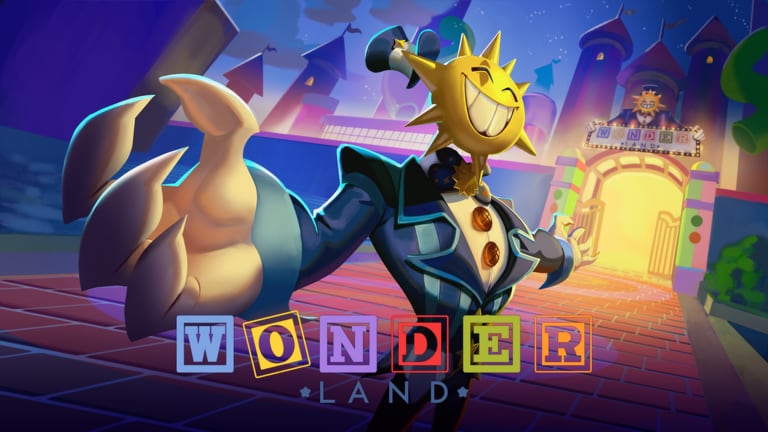
ScaryPlay printed the warning on the experience itself: flashing lights, loud noises, and jumpscares. They also recommend turning graphics up and wearing headphones. That is not flavour text. Mr. Sun’s flicker is easier to miss on a dim preset. Wander’s fake exit is easier to believe if you play muted. This page is the setup guide. Getting Started is the lobby loop after the sliders are honest.
The 8 August 2026 window was pulled when Roblox rated the experience 16+. ScaryPlay wanted a wider audience and shipped on 14 August instead. The park did not become gentle. It became available. The launch story is the timeline. This page is what you do on your device before you sit.
Official warning, plain language
Expect strobes, carnival audio that turns wrong, and sudden close-ups. If those are a problem in your house, lower effects, play without headphones, or skip the sit. The wiki will not tell you to “push through.” The official page already told you what is inside.
Music is by Ampient and is billed as non-copyright. That does not make it quiet. Volume is a tell. Wonder’s sprint-home and Wander’s door lie both live in the mix. Named threats assume you can hear them.
Graphics
Raise Roblox graphics until flicker, fog, and distant toys are readable, then stop before the frame rate dies. A slideshow sprint is a stamina death. Phone players should lock a stable mid-high preset rather than max plus heat. Console and PC can go higher if the sit stays smooth.
There is no unique Wonderland graphics menu beyond Roblox settings and the in-experience warning. Do not hunt a secret park-only panel. Controls covers movement. This page covers seeing the thing that will spend a life.
Audio
Headphones are recommended because the park uses direction and carnival sting as information. If you cannot use them, raise game audio above chat and turn off music apps. A muted solo sit will still function. It will lie to you more often.
If a housemate needs the room quiet, play solo and keep jumpscare volume in mind. Solo does not remove the warning. It only removes randoms talking over the sting.
Age, rating, and scams
The delay existed because of a 16+ rating fight, not because the game was missing. Anyone selling “early access because of the rating” is selling a clone. Official links and Discord are the allowlist. Trello does not exist as a public board.
Join the ScaryPlay Roblox group if you want the advertised in-game rewards. That is a group join, not a settings toggle, and it is listed on the experience page.
After the sliders
Redeem RELEASE26 in the lobby Shop. Walk more than you sprint. Finish the first puzzle. Buy vision before volume. If a patch adds an in-game accessibility toggle, what’s new will log it. Until then, Roblox settings plus the official warning are the whole kit.
Play the park that shipped on 14 August. Do not play a lookalike that promises a softer rating for Robux. The warning is the same on mobile, PC, and console because the sit is the same sit.
Device checklist before the coaster
Phone: lock brightness so flicker is visible, disable low-power mode if it tanks the frame rate, and put the sprint thumb on a burst habit before you board. Heat plus max graphics is how a chase becomes a slideshow and a stamina death. PC: fullscreen or a stable window, not a tiny overlay on a second monitor you are not watching. Console: confirm the Roblox graphics preset after a dashboard update; some boxes reset quality and hide Mr. Sun’s flicker until you die twice.
If a child is in the room, the 16+ rating is the whole conversation. This wiki will not write a “family mode.” The official page already told you the sit includes strobes and jumpscares. Solo does not make those quieter. Headphones make them clearer, which is the point for a hunter tell and a problem for a shared living room.
After the sliders, the remaining setup is social: redeem RELEASE26, pick the lobby row that matches your count, and say the three-life rule out loud if anyone else is sitting. Settings do not replace Getting Started. They keep the tells readable so the rest of the wiki can do its job.
Frequently Asked Questions
Quick answers to the most common questions.
Does Wonderland have flashing lights?
Yes. The official page warns about flashing lights, loud noises, and jumpscares.
Should I turn graphics up?
Yes, until flicker and distant toys are readable, as long as the frame rate stays stable.
Do I need headphones?
Recommended. Audio carries hunter tells. Play quieter if you must, and expect more fake exits.
Why was launch delayed from 8 August?
Roblox rated the experience 16+. ScaryPlay pulled the window and shipped 14 August for a wider audience.
Is there a unique Wonderland settings menu?
No published park-only panel. Use Roblox graphics and audio, then the lobby Shop for codes.
Guides Overview
Wonderland Roblox guides for first runs, escape routes, stamina, puzzles, co-op, and combat after a wipe. Read before your next sit.
Getting Started
First-hour Wonderland Roblox guide: official launch, lobby, roller coaster, codes, and park warnings. Read before your next sit.
How to Escape
How to escape Wonderland on Roblox: puzzles as gates, randomised layouts, and why routes fail. Finish gates; do not replay last nights path.
How to Survive
Wonderland survival guide: shared three lives, stamina that recovers on walk, and chase habits. Walk more than your pride wants to sprint.
Stamina and Lives
Wonderland stamina recovers on walk, not stand-still, and the squad shares three lives. Read this before the next sprint.
Puzzles
Wonderland puzzle guide: levers, sequences, mazes, obbies, Tickets, and how mini-games gate the escape. Read before your next sit.